
Can ChatGPT Summarize YouTube Videos? (And Why a Dedicated Tool Is Better)
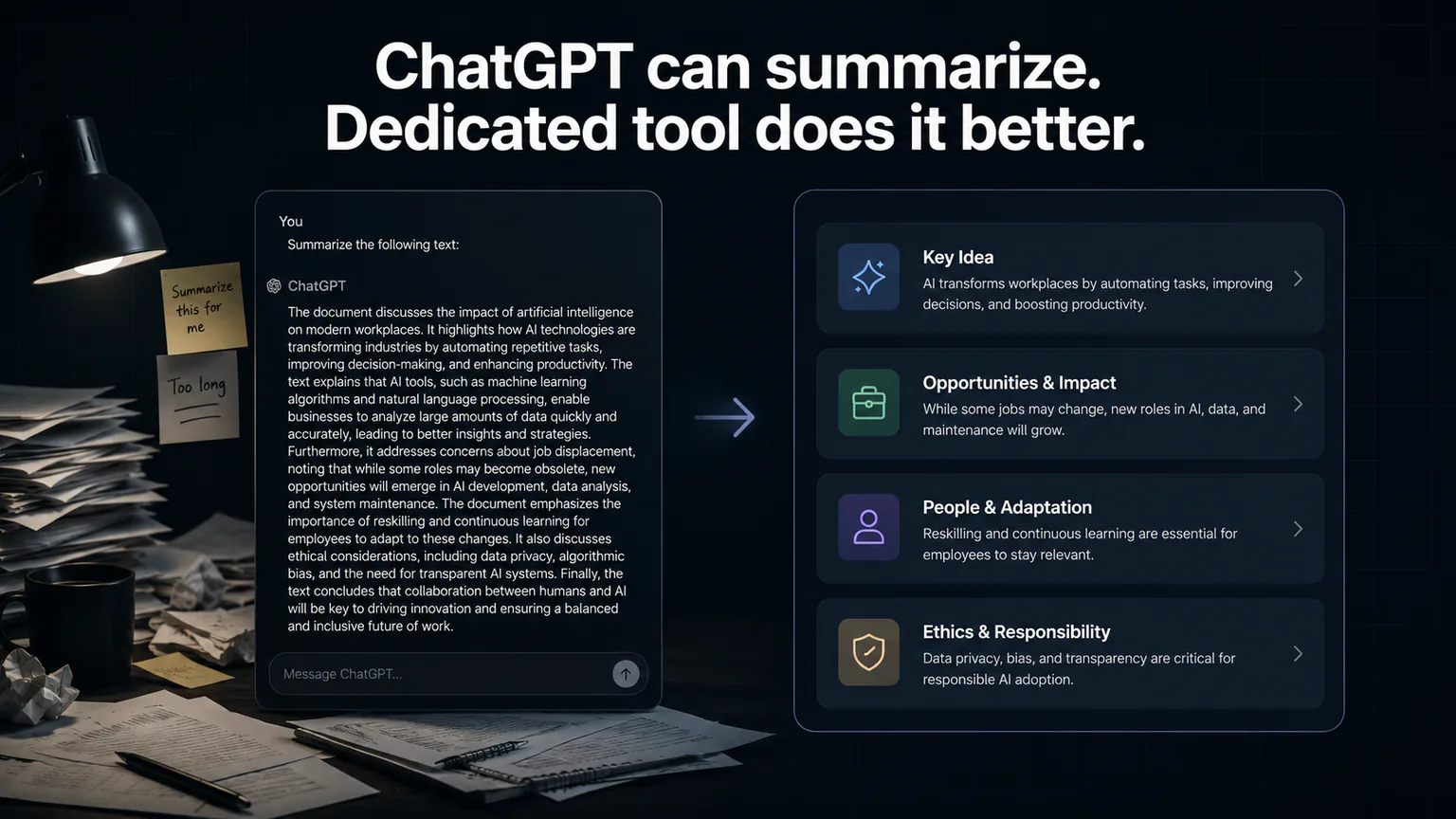
Yes, ChatGPT can summarize YouTube videos. But if you've actually tried it, you know the experience is... clunky. In this post, we'll break down exactly what works, what doesn't, and when a dedicated YouTube summarizer is the better choice.
Can ChatGPT Actually Summarize YouTube Videos?
The short answer: Sort of. ChatGPT cannot access YouTube directly. It can't watch videos or pull transcripts on its own. You have to do the manual work of getting the transcript first.
Here's the process:
- Open the YouTube video
- Open the transcript (click "..." → "Show transcript")
- Select all the text and copy it
- Paste it into ChatGPT
- Ask it to summarize
That's 5 steps compared to 1 step with a dedicated tool.
The Problems With Using ChatGPT
Problem 1: Token Limits
A 30-minute YouTube video produces roughly 4,000–6,000 words of transcript. A 1-hour video? 8,000–12,000 words.
ChatGPT's context window can handle this — but the quality degrades with longer inputs. The longer the transcript, the more likely ChatGPT is to:
- Miss key points in the middle of the video
- Produce a generic summary that loses important nuance
- Hallucinate details that weren't in the original
Dedicated YouTube summarizers are optimized specifically for long-form transcript processing. They handle 10,000+ word transcripts without quality loss.
Problem 2: Manual Copy-Paste
This is the biggest practical issue. Copying a full YouTube transcript is surprisingly tedious:
- YouTube's transcript panel doesn't have a "copy all" button
- You have to manually select and scroll through the entire text
- Some transcripts are 20+ pages of text
- If the video has no captions at all, this method completely fails
A dedicated summarizer just needs the URL. It handles the transcript extraction automatically.
Problem 3: No Structured Output Formats
When you ask ChatGPT to summarize a transcript, you get... a wall of text. Maybe with bullet points if you specifically ask for them.
Compare that to what dedicated tools offer:
| Format | What It Gives You |
|---|---|
| Quick Summary | 3-5 sentence overview |
| Study Notes | Detailed points with key takeaways |
| Twitter/X Thread | Ready-to-post numbered thread |
| Action Items | Checklist of next steps |
ChatGPT can produce these formats if you write a very specific prompt — but you'd have to write that prompt every single time. Dedicated tools give you format options with one click.
Problem 4: No-Account Limitations
You can use ChatGPT without an account — but the no-account experience has significant restrictions:
- No saved history — close the tab and your summary is gone forever
- Strict message and length caps — you hit usage limits much faster than logged-in users. Long video transcripts will likely be rejected for being too large
- No file uploads — you can't upload a transcript file. You have to manually paste the text into the chatbox, which is impractical for long transcripts
- Browser extensions won't work — most YouTube summary extensions require a logged-in ChatGPT session and fail or error out without one
These limitations make the no-account ChatGPT route unreliable for video summarization, especially for anything over 15-20 minutes.
Problem 5: Speed and Convenience
| ChatGPT | Dedicated Summarizer | |
|---|---|---|
| Steps required | 5 | 1 |
| Time | 2-3 minutes | 5 seconds |
| Need account? | No (but limited without one) | No |
| Works on mobile? | Yes (but painful) | Yes |
| Cost | Free (strict no-account caps) / $20/mo | Free |
The 2-3 minute time difference doesn't seem like much until you're summarizing 5-10 videos a day. That's 15-30 minutes daily saved.
When ChatGPT Makes Sense
Despite the limitations, there are cases where ChatGPT is the right choice:
You already have the transcript as a file
If someone sent you a transcript document (not a YouTube URL), ChatGPT handles it perfectly. No need for a YouTube-specific tool.
You want a conversation about the video
ChatGPT lets you ask follow-up questions: "What did the speaker say about X?" "Can you explain point 3 in more detail?" Dedicated summarizers don't do this (yet).
You're already paying for ChatGPT Plus
If you use ChatGPT for other tasks and don't want another tool, the manual approach works. It's just slower.
When a Dedicated Tool Is Better
You summarize videos regularly
If it's more than 2-3 times a week, the time savings from a one-step process add up fast.
You need specific formats
If you need study notes, action items, or social media threads, dedicated tools give you these with one click.
You share summaries with others
Most dedicated tools have built-in sharing (Twitter, WhatsApp, copy link). With ChatGPT, you're manually copying and pasting into each platform.
You want a frictionless experience
ChatGPT without an account has strict caps and won't accept long transcripts. With an account, the free tier has rate limits and ChatGPT Plus is $20/month. Dedicated tools like TranscriptCut are optimized for this exact workflow. TranscriptCut requires both the YouTube URL and the transcript text — you paste both, and it returns four structured summary formats in seconds. No account needed. No caps on normal use. Yes, it's two inputs instead of one. But in return, you get four formats—which ChatGPT can't match without writing a custom prompt every time.
We tested 11 tools head-to-head: 11 Best Free YouTube Summarizers in 2026
The Verdict
| ChatGPT | TranscriptCut | |
|---|---|---|
| Can summarize YouTube | Yes (with manual work) | Yes (URL + transcript needed) |
| Steps | 5 | 1 |
| Time | 2-3 minutes | 5 seconds |
| Format options | 1 (unless you prompt) | 4 |
| Long video support | Degrades | Optimized |
| Cost | Free (strict no-account caps) / $20/mo | Free |
| Account needed | No (but limited without one) | No |
| Daily limits | Yes (very strict without account) | No limits |
For a step-by-step guide to instant summaries, read: How to Summarize a YouTube Video in 5 Seconds
Use ChatGPT if you already have a transcript as text and want to discuss it.
Use a dedicated tool if you have a YouTube URL and want a structured summary in seconds.
Both tools use the same underlying input — the YouTube video transcript. The difference is in the workflow: ChatGPT forces you to manually copy the transcript, and then you still only get a wall of text. TranscriptCut asks for both the URL and the transcript upfront—two inputs—and in return gives you four structured formats. More upfront work, but a far better result.
Try the 1-step approach: paste any YouTube URL and transcript into TranscriptCut and see the difference.
